The best Epidemic Sound alternatives in 2026 are MusicWave.ai if you want to generate your own tracks, Uppbeat if you want a free plan and cheap clearing for several YouTube channels, and Artlist or Soundstripe if you want another big library. For reference, the Creator plan at Epidemic Sound costs $9.99 a month billed yearly and clears one monetized channel per platform, so a second channel means Pro at $16.99.
We compared each pick on the three things YouTubers ask about most: cost per channel, how Content ID claims get cleared, and what happens to old videos after you cancel. Want to hear a custom track first? MusicWave.ai gives you free credits, enough for up to two songs.
Quick verdict
| Platform | Starting price (Oct 2026) | YouTube clearing | Best for |
|---|---|---|---|
| MusicWave.ai | Free; Pro $24.99/mo for commercial rights | License PDF on Pro and Creator | Tracks nobody else has |
| Uppbeat | Free; paid from $6.99/mo | Safelist 1 to 10 channels | Free plan, cheap multi-channel clearing |
| Artlist | $9.99/mo billed yearly | Clearlist 1 or 3 channels | Client work that may reach TV |
| Soundstripe | $119/yr | 1 channel, or 5 on Pro | Freelancers with several channels |
| PremiumBeat | $39 per track | 1 or 5 social channels | A few polished tracks a year |
| AudioJungle | From $5 per track | Dispute with your license | One-off projects |
| Legis Music | Free; $7.99/mo | Whitelist 10 channels on Pro+ | Lowest price for 10 channels |
| Soundraw | $5.99/mo billed yearly | Content ID registration banned | AI background music |
Why are YouTubers looking for Epidemic Sound alternatives?
Mostly cost per channel. Creator covers one monetized channel on each platform and no client work or ads, so a second YouTube channel or a single client video pushes you to Pro, which costs $16.99 a month billed yearly or $39.99 month to month.
Billing and fine print are the second reason. Paying monthly costs almost double ($17.99 instead of $9.99 for Creator), and protection only covers videos you publish from connected channels while you're subscribed, so Epidemic tells you to safelist your channels before you publish.
The third is sound. Epidemic's tracks are everywhere on YouTube, which is great for safety and less great if you want your channel to sound like nobody else's.
How does Content ID work with music libraries?
YouTube scans every upload against reference files that rights holders submit, and a match creates a claim; the owner then decides whether to monetize, track or block the video (YouTube Help). A claim isn't a copyright strike, and YouTube says claims "usually don't impact your channel or account" (YouTube Help).
Epidemic Sound and Artlist register their own catalogs, then skip the claim for subscribers whose channels are on their list. That's why a fully licensed video can still get claimed: publish before you connect the channel, or from a channel that isn't listed, and Content ID only sees a match.
So treat the license and the claim as two different things. Safelisting stops the claim from appearing, and the license is your evidence when you dispute one that appears anyway. YouTube's eligibility rules bar non-exclusively licensed music from Content ID and send royalty-free library matches to manual review, but mistaken claims still happen.
AI-generated music isn't immune either. No tool, MusicWave included, can promise a track will never be matched, so keep the license file for everything you publish; our guide to AI music copyright explains what commercial rights cover.
If you get a claim on music you licensed:
- Check who filed it. A claim from the library itself usually means that channel or video isn't on your safelist.
- Use the library's own clearing tool from your account, such as Epidemic's safelisting page, Artlist's Clearlist or Uppbeat's claim release.
- If that doesn't work, dispute the claim in YouTube Studio and cite your license.
The 8 best Epidemic Sound alternatives in 2026
1. MusicWave.ai: best for tracks nobody else on YouTube has
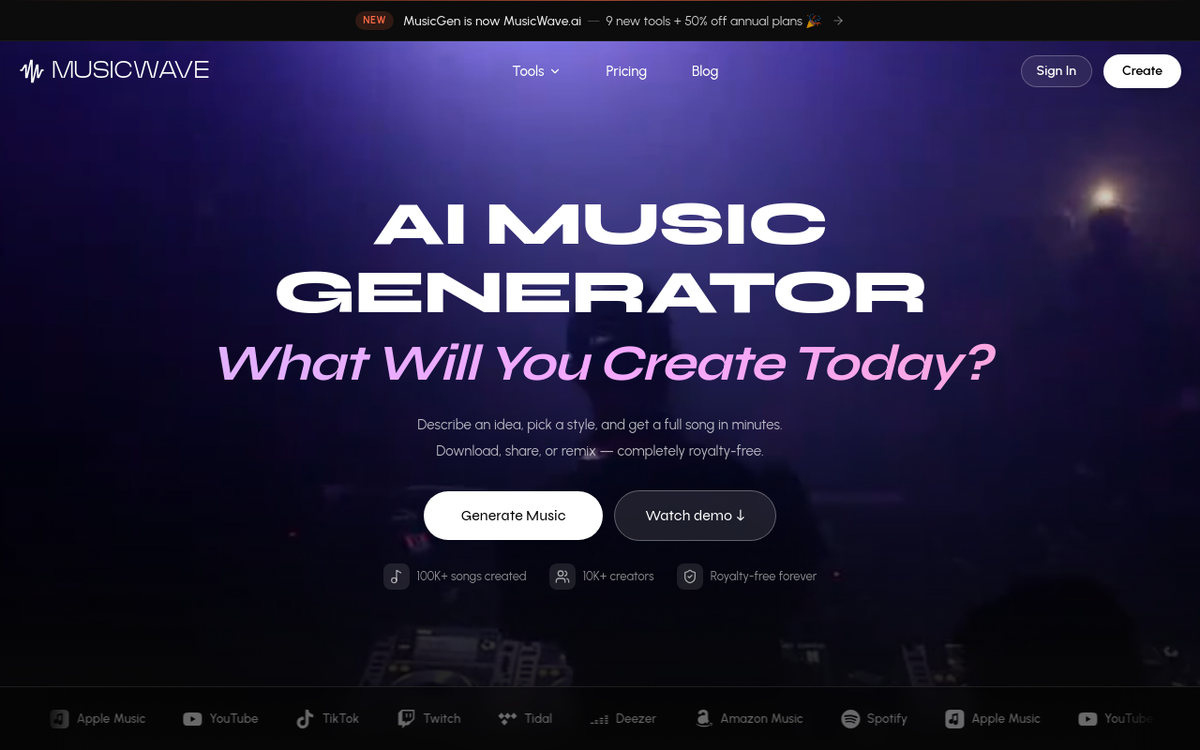
MusicWave.ai takes the shared catalog out of the picture. You describe the track (genre, mood, tempo, instruments) or paste your own lyrics, get two versions per Wave generation, and keep working on it: extend it, replace a section, remix it or split the stems.
Songs run up to 8 minutes, and the song extender adds more when a video runs long. Paid plans let you try the same idea on seven models, including Wave 5.5, ElevenLabs Music and Google's Lyria 3 Pro.
- Price: Free (up to 2 songs), Starter $9.99 a month, Pro $24.99 and Creator $49.99. Yearly billing takes 40% off the first year.
- YouTube clearing: commercial rights and a downloadable license PDF come with Pro and Creator. Keep the PDF with each video so you can answer a claim quickly.
- Watch out: plans are credit-based, not unlimited, and there's no SFX library. It's a newer platform, so its community and public song library are smaller than Suno's.
- Best for: channels that want their own sound instead of library tracks other creators use too.
2. Uppbeat: best free plan with low cost per channel
Uppbeat is one of the cheapest ways to clear several channels. Essentials safelists one YouTube channel, Creator three and Pro ten, and Creator also adds stock video, motion graphics and LUTs.
The free plan works for a new channel: 3 downloads a month from about 30% of the catalog, with an Uppbeat credit pasted into the description to avoid claims. Uppbeat says every asset is human-made, which matters if you'd prefer music without AI in it.
- Price: Essentials $6.99 a month or $67.08 a year, Creator $9.99 or $95.88 a year, and Pro $23.99 or $167.88 a year (Uppbeat pricing).
- YouTube clearing: a credit code on the free plan, channel safelisting on paid plans, plus a claim-release tool.
- After you cancel: videos published to a safelisted channel while you subscribed stay protected.
- Best for: new and multi-channel creators. Client work and paid ads need Pro.
3. Artlist: best for client work that might end up on TV

Artlist registers its whole catalog with Content ID and clears subscribers through its Clearlist. Social clears one YouTube channel, while Pro clears three channels plus unlimited individual YouTube videos, which helps with client uploads on channels you don't own.
Like Epidemic's Pro, the Pro license covers client work and paid ads, but it also names broadcasts and TV, which Epidemic's Creator and Pro plans don't cover. The trade-off is billing: Pro is yearly only, and downloads are capped at 40 songs a day.
- Price: Music & SFX Social from $9.99 a month, Music & SFX Pro $299 a year, or music-only Pro at $16.58 a month billed yearly (Artlist pricing).
- YouTube clearing: Clearlist, with one channel per platform on Social and three on Pro.
- After you cancel: projects you created and published while subscribed stay covered forever, but old downloads can't go into new videos.
- Best for: freelancers whose client edits may run beyond YouTube.
4. Soundstripe: best for freelancers with several channels
Soundstripe's Pro plan clears up to 5 YouTube channels, adds unlimited codes for client videos and includes stems for every song. Linked channels clear automatically, while the Personal plan clears one channel and only covers non-commercial videos.
- Price: Personal $119 a year or $19.99 a month, Pro $239 a year or $39.99, and Pro Plus $399 a year with stock video (Soundstripe pricing).
- YouTube clearing: automatic for linked channels, with codes for client channels.
- After you cancel: anything you licensed while subscribed stays licensed permanently, and your Proof of License stays valid if a claim shows up later (Soundstripe help).
- Best for: freelancers managing their own and clients' channels, with 58,000-plus tracks and 115,000-plus SFX to pull from.
5. PremiumBeat: best for a few polished tracks a year
PremiumBeat is Shutterstock's library of 40,000 tracks and 16,000 sound effects, and its single-track licenses are the draw. A Creator license ($39) covers personal use with one monetized social channel, Standard ($59) adds client work and five channels, and Premium ($199) adds TV, radio and VOD in one country.
- Price: $39 to $999 per track, or unlimited subscriptions from $9.99 a month billed yearly (PremiumBeat pricing).
- YouTube clearing: one monetized social channel on Creator and five on Standard.
- After you cancel: you can't publish new projects with downloaded tracks, but each license stays valid for its project in perpetuity.
- Best for: occasional videos, or a single track that needs broadcast rights.
6. AudioJungle: best pay-per-track marketplace
AudioJungle is Envato's marketplace, with more than 900,000 music clips from $5 and most best-sellers priced between $18 and $49. The basic Music Standard license covers one end product, web use including YouTube and up to 10,000 copies, with broadcast licenses above it.
Content ID needs care here. Some authors register their tracks through administrators such as AdRev, and each item page says whether a track is registered, so expect to dispute the odd claim with your license.
- Price: from $5 per track, with five music license levels up to theatrical film.
- YouTube clearing: per track. Check the Content ID line on the item page before you buy.
- After you cancel: there's nothing to cancel, since each license is a one-off purchase.
- Best for: one-off projects and editors hunting for a very specific sound.
7. Legis Music: cheapest way to whitelist ten channels
Legis Music keeps the deal simple: Pro+ costs $7.99 a month, or up to 58% less on yearly billing, for unlimited music and SFX plus 10 whitelisted YouTube channels. The free plan gives you 2 tracks a month but no monetization or whitelisting.
- Price: Free, or Pro+ at $7.99 a month with a 7-day money-back guarantee.
- YouTube clearing: connect up to 10 channel IDs, and contact support if a claim slips through.
- After you cancel: videos published while you subscribed stay protected.
- Best for: creators on a tight budget with several channels. Its catalog size isn't published, so browse before you pay.
8. Soundraw: best AI tool for background music you can re-cut
Soundraw generates instrumental background tracks that you edit by section, energy, length, tempo and instruments, the closest AI answer to Epidemic's track adaptations. Its Creator plan costs $5.99 a month billed yearly or $9.99 monthly, with unlimited MP3 downloads.
It's a license, not ownership: Soundraw keeps the recording rights, tracks top out at 5 minutes, and there are no vocals. Every plan bans registering Soundraw tracks with Content ID, so other Soundraw users aren't allowed to claim the same music in your videos (Soundraw license).
- Price: Creator $9.99 a month or $5.99 billed yearly. Free accounts can create and preview but not download.
- License: commercial use as background music in your own videos, client work included.
- Watch out: instrumental only, a 5-minute cap, and releasing a track on Spotify needs an Artist plan plus real changes to the beat.
- Best for: talking-head and tutorial channels. Our Soundraw alternatives guide compares it with other AI tools.
What does each plan cost per YouTube channel?
Prices below are yearly billing from each official pricing page in October 2026, divided by the YouTube channels each plan clears.
| Plan | Price per year | YouTube channels cleared | Cost per channel per year |
|---|---|---|---|
| Epidemic Sound Creator | $119.88 | 1 | $119.88 |
| Epidemic Sound Pro | $203.88 | 3 | $67.96 |
| Artlist Music & SFX Social | $119.88 | 1 | $119.88 |
| Artlist Music & SFX Pro | $299 | 3, plus single videos | $99.67 |
| Soundstripe Personal | $119 | 1 | $119.00 |
| Soundstripe Pro | $239 | 5 | $47.80 |
| Uppbeat Essentials | $67.08 | 1 | $67.08 |
| Uppbeat Creator | $95.88 | 3 | $31.96 |
| Uppbeat Pro | $167.88 | 10 | $16.79 |
| PremiumBeat Creator | $119.88 | 1 | $119.88 |
| PremiumBeat Standard | $299.88 | 5 | $59.98 |
| Legis Music Pro+ | $95.88 (paid monthly) | 10 | $9.59 or less |
Uppbeat and Legis Music are the cheapest ways to clear a group of channels, and Epidemic Sound Pro sits mid-pack. Check the entry plans' fine print too: Soundstripe Personal and PremiumBeat Creator are for personal use only, while Epidemic's Creator plan and Uppbeat allow sponsored videos on your own channels.
MusicWave.ai isn't in the table because its plans are priced by credits, with commercial rights from Pro at $24.99 a month. Podcasters face the same math with RSS feeds instead of channels, and our guide to music for podcasts covers that side.
What happens to your videos when you cancel?
- Epidemic Sound: videos published while you subscribed stay cleared for monetization forever, but anything you publish after cancelling with Epidemic music gets monetized by Epidemic.
- Artlist: projects created and published while you subscribed stay covered, but license certificates stop being downloadable after the plan expires, so save them first.
- Soundstripe: projects licensed while you subscribed stay licensed permanently; download your Proof of License before you go.
- Uppbeat and Legis Music: videos published while you subscribed, on a safelisted or whitelisted channel, stay protected.
- PremiumBeat: each license stays valid for its project, but you can't publish new projects with old downloads.
- AudioJungle: nothing lapses, because there's no subscription.
With most of these libraries, unfinished projects aren't covered, so publish anything in progress before your plan ends.
Epidemic Sound alternatives compared
| Feature | MusicWave.ai | Uppbeat | AudioJungle | PremiumBeat | Soundstripe | Artlist | Legis Music | Soundraw |
|---|---|---|---|---|---|---|---|---|
| Pricing model | Credits | Subscription | Per track | Per track or subscription | Subscription | Subscription | Subscription | Subscription |
| Starting price | Free; $9.99/mo | Free; $6.99/mo | $5 per track | $39 per track | $119/yr | $9.99/mo yearly | Free; $7.99/mo | $5.99/mo yearly |
| Music made for you | Yes, AI songs | No | No | No | No | No | No | Yes, AI instrumentals |
| SFX library | No | Yes | Sold separately | Yes | Yes | Yes | Yes, Pro+ | No |
| YouTube clearing | License PDF on Pro and Creator | Safelist 1 to 10 channels | Per-track license | 1 or 5 channels | 1 or 5 channels | 1 or 3 channels | 10 channels | No Content ID registration |
| Commercial use from | Pro | Pro | Music Standard | Standard | Pro | Pro | Pro+ | Creator |
What about YouTube's free Audio Library?
YouTube's own Audio Library is free inside YouTube Studio, and Partner Program members can monetize videos that use it. Some tracks are Creative Commons and need a credit in the description, and YouTube says its copyright-safe tracks won't be claimed through Content ID.
The catch is scope. YouTube only vouches for these tracks on YouTube and says it can't give guidance on using music off the platform, and the selection is smaller and far more familiar than any paid library. It's a fine start for a brand-new channel, but many creators move on once they post every week.
Epidemic Sound alternatives FAQ
What's the best free alternative to Epidemic Sound?
For YouTube-only videos, the YouTube Audio Library is free and claim-safe. For music you can also use elsewhere, Uppbeat's free plan gives you 3 downloads a month with a credit in the description, and MusicWave.ai's free plan gives you credits for up to 2 songs to test it, though downloads start on Starter and commercial rights need Pro.
What happens to my YouTube videos if I cancel Epidemic Sound?
Videos you published while subscribed stay cleared for monetization forever, as long as the channel was safelisted. Videos you publish after cancelling that use Epidemic music get monetized by Epidemic, and you can't use old downloads in new content.
What happens if I use Epidemic Sound without paying?
Using Epidemic music needs a paid plan, a license or the free trial, and Content ID will match Epidemic tracks in any video from a channel that isn't safelisted, with the ad revenue going to Epidemic. The trial does count, though: content you publish during it stays protected even after you cancel (Epidemic Sound pricing FAQ).
Is Audiio better than Epidemic Sound?
It depends on how you like to pay. Audiio sells a one-time Lifetime Music plan ($199 on sale in October 2026, list price $499) and a $199-a-year Pro plan that monetizes three channels, while Epidemic Sound bundles 250,000 sound effects and AI tools for adapting tracks into its plans. If you hate subscriptions, pick Audiio; if you want track adaptations and voiceovers in one place, stay with Epidemic.
Can AI-generated music get Content ID claims?
Yes. Content ID matches audio against registered reference files, so any track can be matched if similar audio is registered, and no AI tool can guarantee otherwise. Use a plan with a commercial license (MusicWave's Pro and Creator include a downloadable license PDF) and dispute mistaken claims in YouTube Studio.
Make your own soundtrack instead
If what you want from Epidemic Sound is music that fits your videos, try making it. MusicWave.ai gives you free credits to test a couple of tracks, and commercial rights start on the Pro plan.